Managing HR through spreadsheets, disconnected applications and manual approvals becomes increasingly difficult as an organisation grows. A cloud based HR management system brings employee records, attendance, leave, payroll integrations, recruitment, onboarding and workforce reporting into one accessible environment. It is particularly relevant for HR and operations leaders evaluating whether their current tools can scale, integrate and support more efficient workforce management.
However, choosing HR software is not simply a matter of comparing subscription prices. Implementation, data migration, integrations, security, training and ongoing administration all affect the real cost. Leaders also need to determine whether an existing platform can meet their requirements or whether building a tailored system is justified. This guide covers the core capabilities, cloud versus on-premise options, realistic cost considerations and the build vs buy HR system decision.
Quick answer: A cloud based HR management system is internet-hosted software that centralises employee data, HR processes and workforce management, while licensing generally suits standard requirements and building is more appropriate when specialised workflows or integrations justify greater development and maintenance responsibility.
What is a cloud-based HR management system?
A cloud based HR management system is HR software hosted by a provider and accessed through the internet rather than installed on company-owned servers. It can connect employee records with attendance, leave, payroll, recruitment, onboarding, performance and workforce reporting. The provider typically manages the underlying infrastructure, platform updates and much of the technical maintenance. The organisation remains responsible for configuration, permissions, data quality, integrations and user adoption.
For HR and operations teams, the main benefit is creating a central system of record while reducing fragmented workflows across spreadsheets and disconnected applications.
HRMS vs HRIS vs HCM: What's the difference?
The terms overlap, and vendors do not always use them consistently. HRIS generally focuses on employee information and core administrative processes. HRMS often extends into workforce management, while HCM can cover a broader employee lifecycle, including talent, recruitment, performance and workforce planning. When comparing HRIS/HRMS/HCM products, evaluate the actual modules, integrations and workflows rather than relying on the product label.
Core features of a cloud-based HR system
A capable cloud based HR management system may include:
- Employee data management and records: Central profiles, documents, job information and organisational structures.
- Attendance and leave management: Leave policies, approvals, holidays, attendance records and exceptions.
- Payroll processing and integration: Payroll functionality or connections with payroll, finance and banking systems.
- Employee self-service (ESS) portal: Employees can update permitted information, submit requests and access documents.
- Performance management and reviews: Goals, review cycles, feedback and performance records.
- Recruitment / applicant tracking (ATS): Job requisitions, candidate pipelines and interview stages.
- Onboarding and offboarding workflows: Automated checklists, approvals, documents and exit processes.
- Shift scheduling and time tracking: Rosters, working hours, overtime and time records.
- Workforce analytics and dashboards: Headcount, turnover, absence, attendance and other workforce metrics.
- SSO, role-based access and audit logs: Authentication, permissions and records of important system activity.
Features should be assessed against real processes. For example, employee self-service only creates value when permissions and workflows are properly configured. Similarly, attendance & leave tools need to reflect the organisation's working patterns, policies and approval structures.
Cloud vs on-premise HR systems
The choice between cloud and on-premise affects infrastructure, maintenance, access and internal IT responsibilities.
| Factor | Cloud HR system | On-premise HR system |
| Infrastructure | Provider-hosted | Organisation-managed |
| Upgrades | Usually vendor-managed | Internally managed |
| Initial infrastructure | Typically lower | Usually higher |
| Access | Internet-based | Controlled through company infrastructure |
| Maintenance | Mostly provider responsibility | Internal IT responsibility |
| Customisation | Depends on platform | Potentially extensive |
| Scaling | Usually simpler | May require infrastructure changes |
A cloud based HR management system can reduce infrastructure overhead, but it does not remove implementation work. Organisations still need to migrate data, configure policies, establish permissions, integrate systems and train users.
How much does a cloud-based HR system cost?
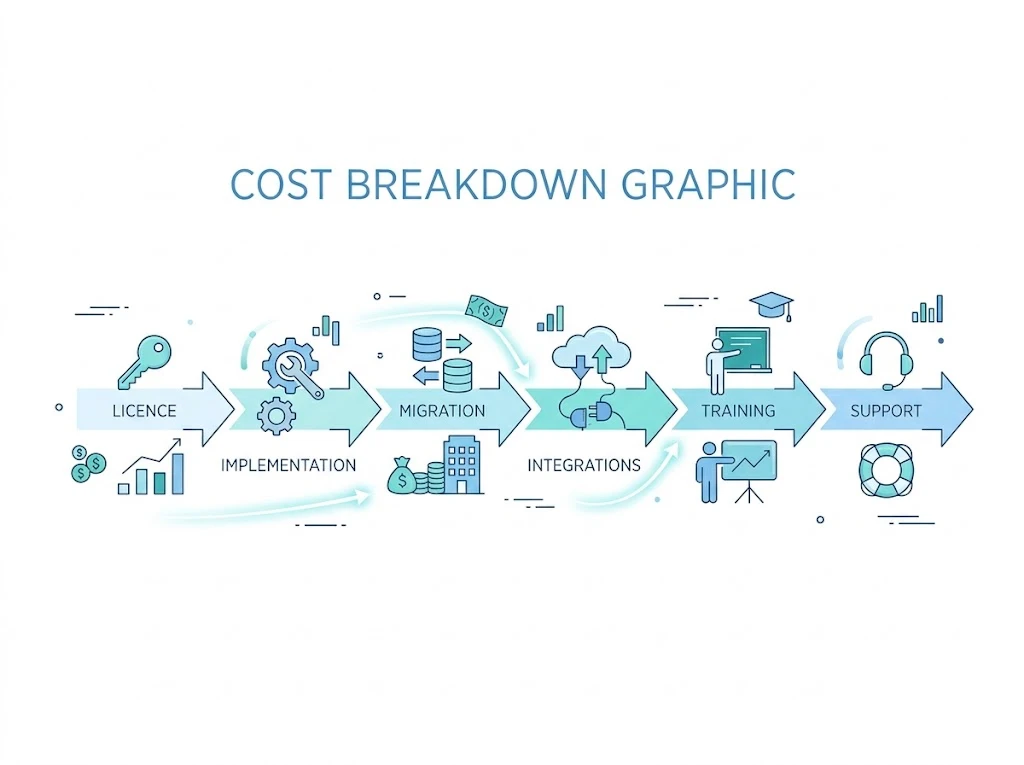
Cloud based HR management system pricing varies according to employee count, modules, integrations, geography and contract structure. Some vendors charge per employee per month, while others combine platform fees with user pricing or charge separately for implementation and additional modules. A realistic budget should consider:
- Software subscription
- Implementation and configuration
- Data migration and cleansing
- Integrations and custom development
- Training and support
- Ongoing administration
| Cost component | Main cost drivers | Commonly overlooked? |
| Subscription | Employees, modules, contract | Sometimes |
| Implementation | Configuration and workflows | Frequently |
| Data migration | Volume and data quality | Frequently |
| Integrations | Payroll, finance, identity and time systems | Frequently |
| Customisation | Unique processes | Frequently |
| Training | Users and process changes | Sometimes |
| Support | Service level and internal capability | Sometimes |
This is why licence price alone can produce a misleading comparison. A cheaper platform may require substantial integration or customisation, while a more comprehensive product may already include those capabilities.
Build vs Buy: License a platform or Build your own HR system?
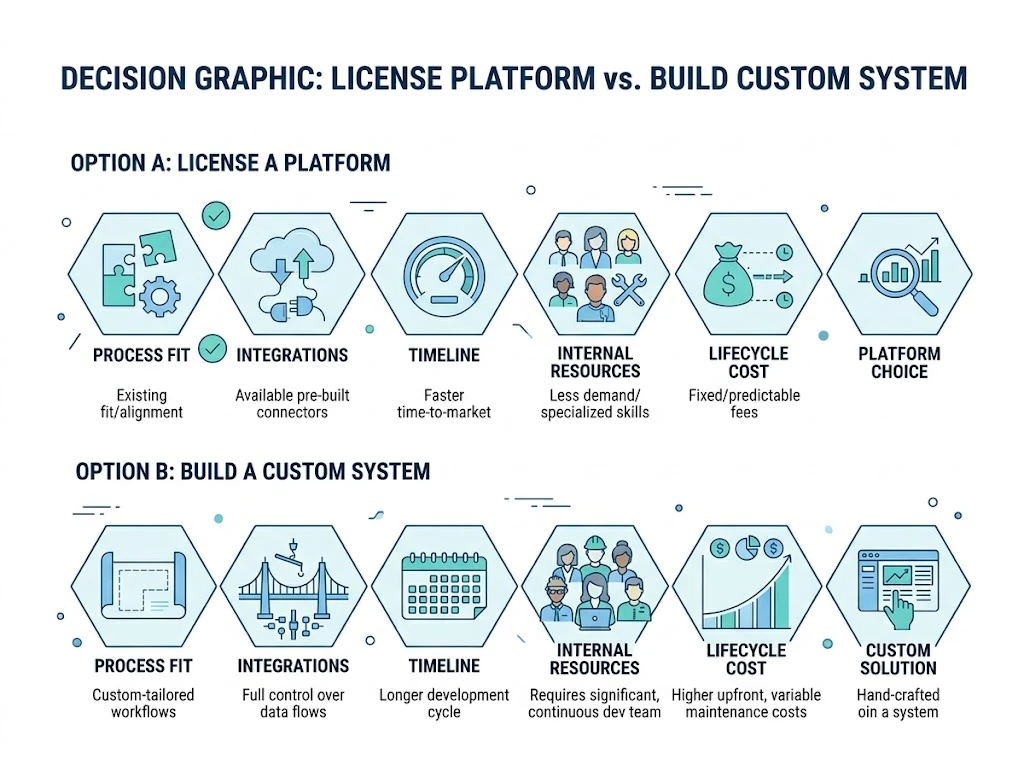
The build vs buy HR system decision should begin with business requirements rather than technology preference. Licensing provides access to an established product without making the organisation responsible for its entire software lifecycle. Building provides greater control over functionality and data flows, but the organisation also assumes responsibility for development, testing, security, maintenance and future changes.
When licensing a cloud HR platform makes sense
Licensing is generally worth considering when:
- Core HR processes are relatively standard.
- Deployment is required within a defined timeframe.
- Required integrations are already supported.
- Vendor support is important.
- Internal engineering resources are limited.
- Maintaining security and upgrades internally would add significant overhead.
A commercial platform may also spread development and maintenance costs across many customers, making standard functionality more economical than developing it independently.
When a custom HR management system pays off
A custom HR management system becomes more relevant when standard platforms cannot accommodate important processes without extensive workarounds. This may apply to organisations with unusual workforce structures, complex approval chains, specialised compensation rules or critical integrations with proprietary systems. Custom development can also make sense when HR workflows need to operate as part of a larger internal business platform.
However, development does not end at launch. A custom HR management system requires ongoing investment in security updates, bug fixes, infrastructure, monitoring, integrations and feature improvements. The decision should therefore compare total lifecycle costs rather than development cost alone. A build vs buy HR system assessment should consider platform fit, business-critical requirements, integration complexity, compliance needs, internal technical resources and expected system lifespan.
Implementation checklist
Before implementing a cloud based HR management system, confirm:
- Business requirements and process owners
- Employee data sources and cleansing requirements
- Payroll, finance, attendance and identity integrations
- User roles and approval permissions
- SSO and authentication requirements
- Data migration and retention rules
- Testing and acceptance criteria
- Training and change management
- Reporting requirements
- Vendor support and service levels
- Data export and portability provisions
Do not configure the platform before agreeing on the desired future-state process. Automating an inefficient workflow can simply make the inefficiency faster.
Data security and compliance
Security should be evaluated at both the platform and implementation levels. Review encryption, authentication, role-based access, audit logging, backups, recovery procedures, vulnerability management, incident response and data-retention practices. For a cloud based HR management system, establish where data is stored, which subprocessors can access it, how permissions are controlled and what happens to data when the contract ends. Applicable privacy and employment-data requirements will also depend on the jurisdictions in which the organisation operates.
Another important consideration is access control. Employee self-service should expose only the information and actions appropriate to each employee's role. Likewise, attendance & leave records should be protected because they form part of an employee's employment data.
Make the HR system decision on total cost
Choosing a cloud based HR management system is a business-process decision as much as a software decision. Subscription fees matter, but implementation, migration, integrations, security, training and long-term administration can materially change the economics.
The same applies to custom development. Building can provide greater control and process fit, but its cost continues beyond launch. A structured assessment of requirements, platform fit and lifecycle costs gives HR and operations leaders a clearer basis for selecting the appropriate approach. Start with the processes and constraints the system must support. Then determine whether licensing, customisation or development provides the most practical route to those requirements.
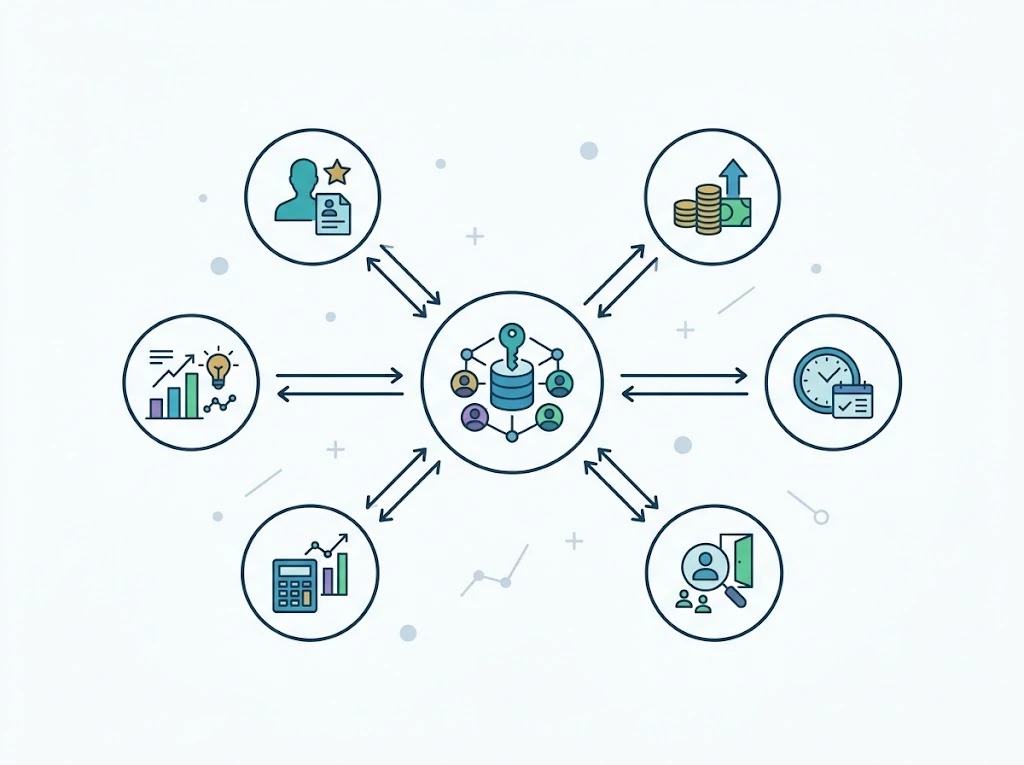
Need to Scope Your HR System?
Phentech can help you define HR workflows, integration requirements and technical priorities before you commit to a platform or development project. Start with a build-vs-buy scoping conversation to understand what should be licensed, customised or built from the ground up.